
Edgewonk
The psychology specialist
A one-price web journal built around trading psychology and deliberate, hands-on review.
Value 7.4
Auto-sync 6.4
Analytics 7.8
Ease of use 7.2
Markets 7.6
Edgewonk  Tradervue
Neither of these journals is trying to be modern - and that is not entirely a criticism. Edgewonk and Tradervue are the two specialists at the bottom of our table, each holding one franchise the newer platforms have not taken: the deepest psychology analytics in the category, and its most genuine trading community.
Go deeper: Edgewonk review · Tradervue review · Edgewonk pricing · Tradervue pricing
The psychology specialist
A one-price web journal built around trading psychology and deliberate, hands-on review.
The original, community-first journal
One of the longest-running journals, known for its trader community and sharing features - showing its age in places.
The Edgewonk and Tradervue dashboards, at a glance.
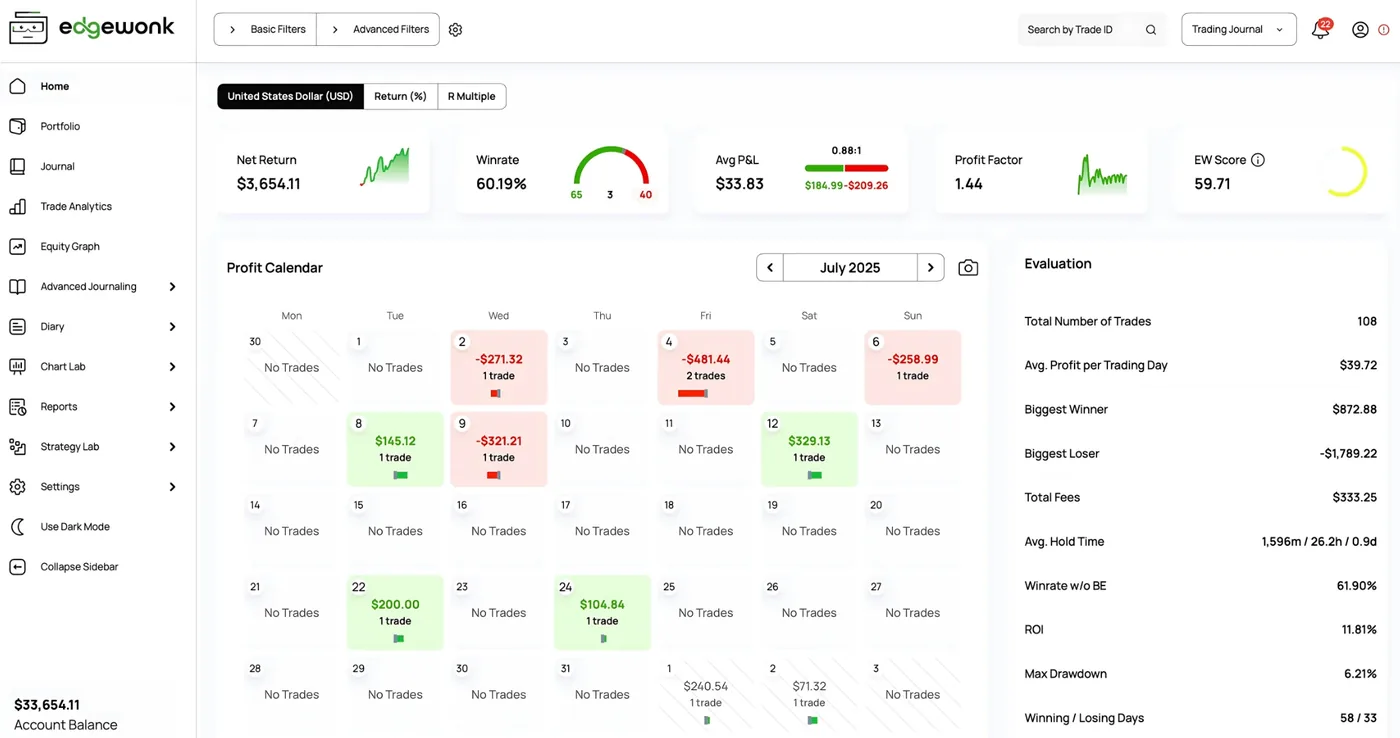
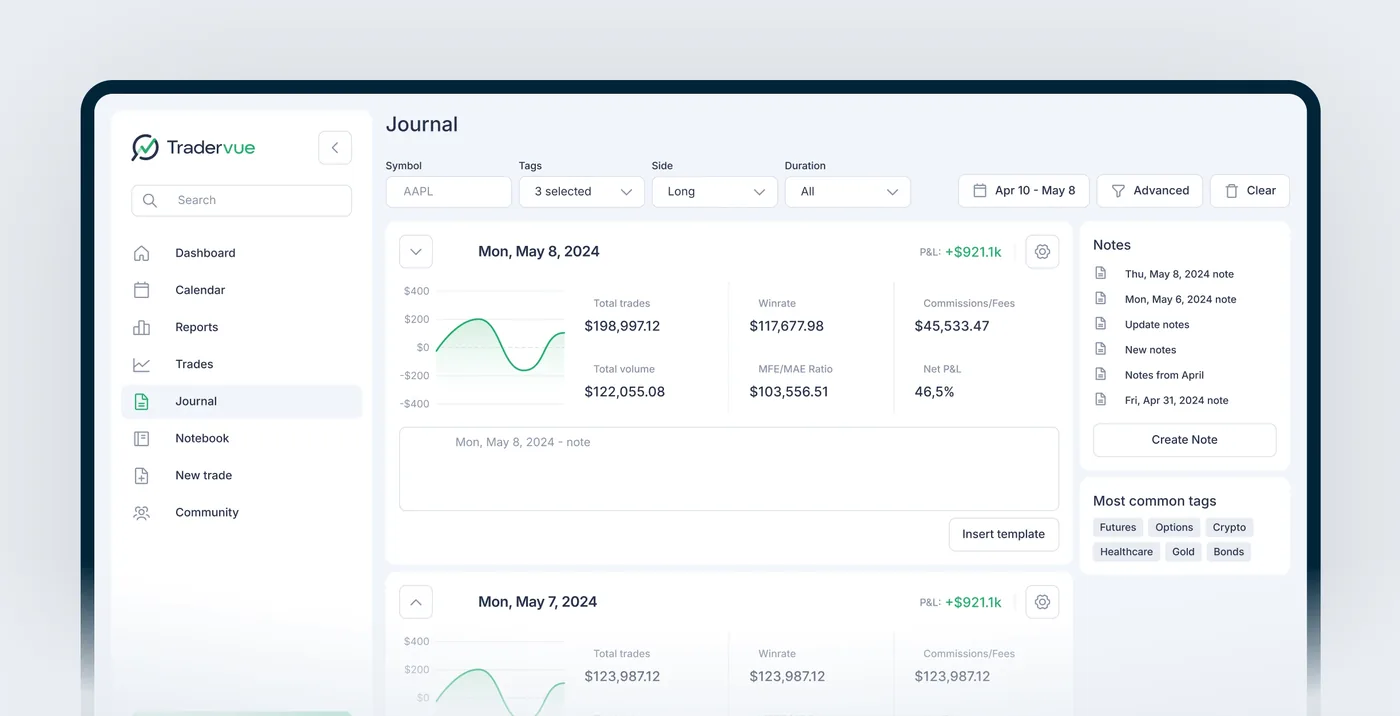
They point in opposite social directions. Edgewonk is strictly single-user - no sharing, no mentor access, no community - because its whole method is private self-diagnosis: the Tiltmeter for emotion tracking, Edge Finder for statistical edges, Coin Flip Distribution for separating skill from luck. Tradervue was built to be watched: a public feed of verified shared trades, message boards, private sharing links and read-only mentor access. Decide first whether your journal is a mirror or a conversation.
Under the hood Edgewonk is simply the deeper analytical tool. It ships 50+ prebuilt statistics plus custom stat slots, entry and exit quality scoring, and MAE/MFE analysis as standard. Tradervue lists more than 100 reports and includes MFE/MAE statistics on both paid plans, but reserves exit analysis, risk tracking and commission support for the $49.95/mo Gold tier. Tradervue's best analytical feature is visual rather than statistical - automatic TradingView charts with your executions plotted and your annotations saved.
Access and price are near-opposites. Tradervue lets you start free - 30 trades a month, community included - then charges $29.95 to $49.95 monthly with no annual discount, roughly $360 to $600 a year. Edgewonk has no free option at all but costs a flat $197 a year for everything. Both lack a native mobile app, and only Edgewonk covers crypto.
For anyone who pays, Edgewonk is cheaper: $197 a year, about $16.42 a month, against $359.40 for a year of Tradervue Silver and $599.40 for Gold. Tradervue bills monthly only, so there is no annual discount to close that gap.
Tradervue's advantage is at zero. Its free plan never expires and covers up to 30 trades a calendar month on stocks and ETFs, while Edgewonk has no free plan or trial - only a 14-day money-back guarantee after you buy the year. Both models are honest: Tradervue suits a low-volume trader who never needs to pay, Edgewonk a committed trader who wants everything for one predictable bill.
| Plan | Month-to-month | Annual billing (per month) | Per year |
|---|---|---|---|
| Edgewonk (single plan) | No monthly plan | $16.42/mo | $197 |
| Tradervue Free | $0 | - | $0 |
| Tradervue Silver | $29.95 | No annual plan | $359.40 |
| Tradervue Gold | $49.95 | No annual plan | $599.40 |
From the pricing sections of our Edgewonk review and Tradervue review. "Per year" is the annual-billing total, or twelve monthly payments where no annual plan exists; "(sale)" marks a promotional rate.
This is a split decision. Edgewonk leads on value (7.4 against 7.2), analytics depth (7.8 against 7.4) and market coverage (7.6 against 6.9); Tradervue leads on broker auto-sync (7.6 against 6.4), with Broker Sync on its paid plans, and on ease of use (7.8 against 7.2). Overall Edgewonk finishes ahead, 7.6 to 7.0 - see how we weigh value, sync and analytics.
| Criterion | Edgewonk | Tradervue | Leader |
|---|---|---|---|
| Value for money | 7.4 | 7.2 | Edgewonk |
| Broker auto-sync | 6.4 | 7.6 | Tradervue |
| Analytics depth | 7.8 | 7.4 | Edgewonk |
| Ease of use | 7.2 | 7.8 | Tradervue |
| Market coverage | 7.6 | 6.9 | Edgewonk |
| Overall score | 7.6 | 7.0 | Edgewonk |
| Journal | Overall score |
|---|---|
| Edgewonk | 7.6 |
| Tradervue | 7.0 |
A green tick beats a dash. Ties are common — the differences that matter are highlighted.
| Feature | Edgewonk | Tradervue |
|---|---|---|
| Starting price | $197/yr | Free |
| Overall score | 7.6 | 7.0 |
| Free forever plan | - | ✓ |
| Mobile app | Partial | Partial |
| Broker auto-sync | Partial | ✓ |
| CSV import (any broker) | ✓ | ✓ |
| Calendar P&L heatmap | ✓ | ✓ |
| Per-strategy analytics | ✓ | Partial |
| Trade replay / simulator | - | - |
| AI assistant | Partial | - |
| Tax / wash-sale reports | - | Partial |
| Built-in education | ✓ | - |
Both are specialists, so the fit matters more than the score. A quick guide:
| If you… | Better pick - and why |
|---|---|
| Fixing discipline on your own | Edgewonk: The Tiltmeter and Coin Flip Distribution are built for private self-diagnosis. |
| Learning from other traders | Tradervue: A public feed of verified shared trades and message boards. |
| Under 30 trades a month, no budget | Tradervue: The free plan never expires - ideal for a low-volume swing trading journal. |
| Forex on MetaTrader | Edgewonk: MT4 and MT5 auto-sync; Tradervue imports MetaTrader too, but forex needs a paid plan. See the MT4 journal guide. |
| Trading crypto | Edgewonk: File imports from exchanges such as Coinbase, Bybit, Phemex and MEXC Futures; Tradervue has no crypto. |
| Direct-access US equities day trading | Tradervue: DAS Trader Pro, Lightspeed, Sterling Trader Pro and TradeZero are on its import list. |
| Want charts drawn for you | Tradervue: Automatic TradingView charts with your entries, exits and annotations saved on each trade. |
Moving from Tradervue to Edgewonk is about as smooth as journal switches get: Edgewonk lists Tradervue among the journals it imports from, and Tradervue's CSV export carries your executions, tags and notes. Your shared-trade threads and mentor links stay behind on Tradervue.
Going the other way, Tradervue imports from broker exports and a generic import format, so rebuild your history from your broker's files. Tiltmeter ratings and custom statistics have no Tradervue equivalent; to keep tracking emotions, tag trades and review them in Tradervue's tag reports. Check your markets first - Tradervue's free plan is stocks and ETFs only, and it has no crypto. If neither journal fits, start with the Edgewonk alternatives.
Edgewonk edges this matchup because it does more with your data. Standard-issue MAE/MFE, entry and exit quality scoring, custom statistics and the Tiltmeter make it a genuine analysis engine, while a flat $197 a year undercuts Tradervue's paid tiers by hundreds. For a solo trader doing serious self-review, it is the stronger tool.
Tradervue counters with access and company: a free plan to start, plus the sharing, message boards and mentor tooling Edgewonk deliberately lacks. If neither deep psychology work nor community moves you, though, the honest answer is that both are showing their age - our higher-ranked journals do the everyday job better than either.
Track your trades, analyze performance, and improve your strategy. Enter your email to get the free spreadsheet.
No spam. Just the template link.
No. Edgewonk is a single-user tool with no sharing, collaboration or mentor features - private self-analysis is the design philosophy. Tradervue is built for exactly this instead: read-only mentor access, private sharing links and a public feed of verified trades.
For a paying user, Edgewonk: $197 flat with every feature included, against roughly $360/year for Tradervue Silver or $600 for Gold on monthly billing. For a light-volume trader who can live inside 30 trades a month, Tradervue's free plan makes it the cheaper journal at exactly $0.
Crypto: Edgewonk yes, Tradervue no. Edgewonk lists crypto among its supported markets and imports from exchanges such as Coinbase and Bybit; Tradervue does not support crypto on any plan. Neither ships a native mobile app, though Edgewonk's cloud app runs in a phone browser. If mobile journaling matters, look at a platform with dedicated apps.
Tradervue. Its free plan lets you build the journaling habit at no cost, and the community shows you how other traders review their executions. Edgewonk assumes you already have a method - no templates, guided onboarding or education - and asks for a year up front. Tradervue ranks second in our beginners list, behind a journal with a free tier and a free academy.
Not as a dedicated feature. You can tag trades with emotions or mistakes and slice reports by tag, but there is no Tiltmeter-style emotional rating, no dollar attribution per state and no Coin Flip Distribution. If behaviour is what you are trying to fix, Edgewonk is the specialist; Tradervue's strength is learning from other traders' verified executions.
Partially, in different ways. Edgewonk auto-syncs MetaTrader 4 and 5 accounts and imports everything else by file. Tradervue includes Broker Sync on its Silver and Gold plans for some of its 80+ integrations, with file import for the rest, and its free plan works by import. If hands-off sync for a stock or futures broker is the priority, look at our higher-ranked journals.